Data Protection & E-Waste: What Happens to Your Data When an Electronic Device Leaves Your Control?
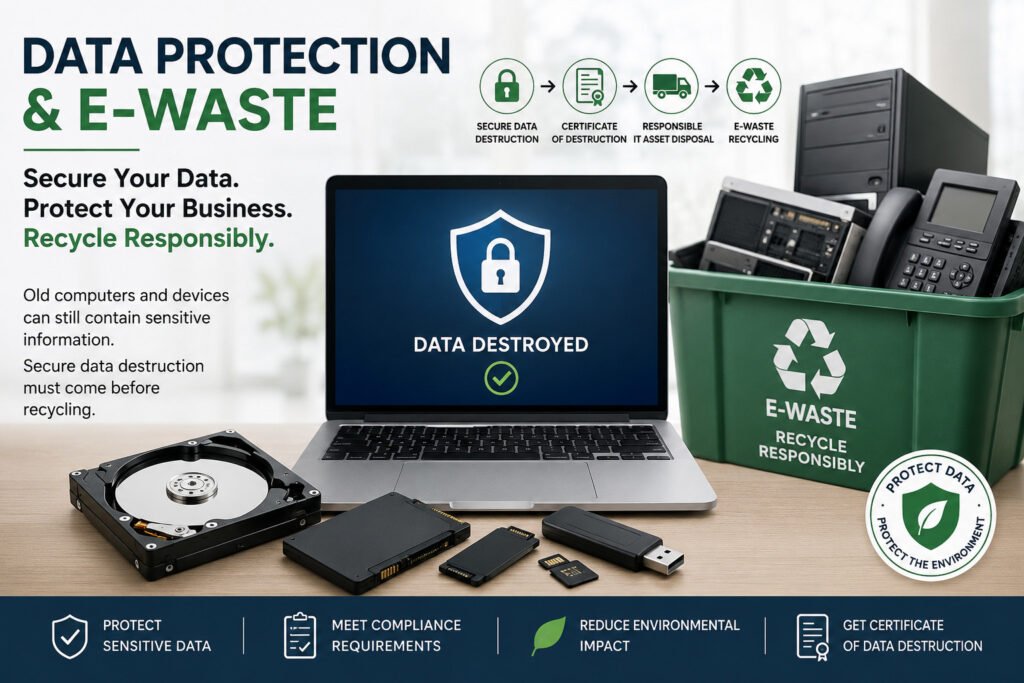
An old computer may look like nothing more than obsolete equipment. But before it becomes e-waste, there is another question businesses and organisations should ask: What happened to the data stored on it? Computers, laptops, servers, hard drives, SSDs, phones and other electronic devices can contain personal, confidential and sensitive information long after they are no longer being used. Simply deleting files, emptying the recycle bin or formatting a device does not necessarily mean that the information has been securely destroyed. This creates an important connection between data protection and e-waste management. A device can be physically disposed of while the data on it remains exposed. When electronic equipment leaves an organisation without proper data sanitization or destruction, information may potentially be recovered or accessed by unauthorised persons. For businesses in Kenya, secure disposal should therefore mean more than simply getting rid of unwanted equipment. The data needs to be securely addressed before the equipment is reused, transferred, recycled or destroyed. What Data Can Be Left on an Old Computer? An end-of-life computer can contain much more information than users realise. Depending on how the device was used, it may contain: Even when a computer is no longer operational, its storage media may still contain information. That is why the condition of the device does not determine whether the data is still a risk. Data Controller or Data Processor? When an organisation owns the information stored on its devices and determines why and how that personal data is processed, it may act as a Data Controller. When a service provider processes personal data on behalf of that organisation—for example, by handling devices containing personal data for secure destruction—it may act as a Data Processor. This distinction is important when outsourcing IT asset disposal and data destruction. In such circumstances, the parties should clearly understand their respective responsibilities, contractual obligations and data protection requirements. This is why professional IT Asset Disposition and data destruction should be handled through defined procedures rather than simply handing old computers to an unknown disposal channel. Data Wiping vs Physical Data Destruction Not every device needs to be physically destroyed. The appropriate method depends on factors such as the type and condition of the storage media, whether the equipment will be reused, the client’s requirements and the level of assurance required. Secure Data Sanitization Where equipment or storage media is suitable for continued use, an appropriate sanitization method can be used to remove data before the asset is reused or redeployed. The objective is to ensure that previous information cannot be accessed by an unauthorised party. Physical Destruction Where storage media is damaged, unsuitable for reuse, at end-of-life, or where physical destruction is required, the storage media can be physically destroyed. For example, hard drives and SSDs can undergo controlled destruction so that the stored information cannot practically be recovered from the resulting media. The right method should be selected based on the asset and the required level of data protection — not simply convenience. What Should Happen Before an Old Computer Is Recycled? A responsible process should address both the data and the equipment. A typical secure IT asset disposal process can include: 1. Identify the equipmentRecord relevant asset information such as device type, quantity and serial numbers where applicable. 2. Secure the equipmentMaintain appropriate control over devices while they are awaiting processing. 3. Assess the storage mediaDetermine what type of storage is present and what disposal or sanitization method is appropriate. 4. Sanitize or destroy the dataUse an appropriate secure data sanitization or physical destruction method. 5. Verify and document the processMaintain appropriate records demonstrating what was processed and how. 6. Provide certificationWhere applicable, provide documentation or a Certificate of Data Destruction to support the client’s records. 7. Recycle responsiblyAfter data security requirements have been addressed, equipment can proceed through the appropriate ITAD and e-waste recycling process. This approach connects data security, asset management and environmental responsibility into one controlled process. ITAD Kenya IT asset disposition Kenya corporate e-waste disposal Kenya business e-waste disposal secure disposal of computers end-of-life IT equipment secure disposal of IT equipment certificate of data destruction How Nalabix Helps Organisations in Kenya At Nalabix, we understand that responsible electronic disposal involves more than simply collecting unwanted equipment. Our approach brings together secure data destruction, IT Asset Disposition (ITAD), controlled equipment handling, documentation and responsible e-waste management. We help organisations manage data-bearing electronic equipment through appropriate processes that can include: The objective is straightforward: Protect the information. Control the asset. Document the process. Recycle responsibly. For organisations that entrust Nalabix with data-bearing equipment, data security is not treated as an afterthought to recycling. It is an important part of the disposal process. Contact Nalabix to discuss your data destruction and e-waste management requirements.
The Environmental Impact of Improper E-Waste Disposal.
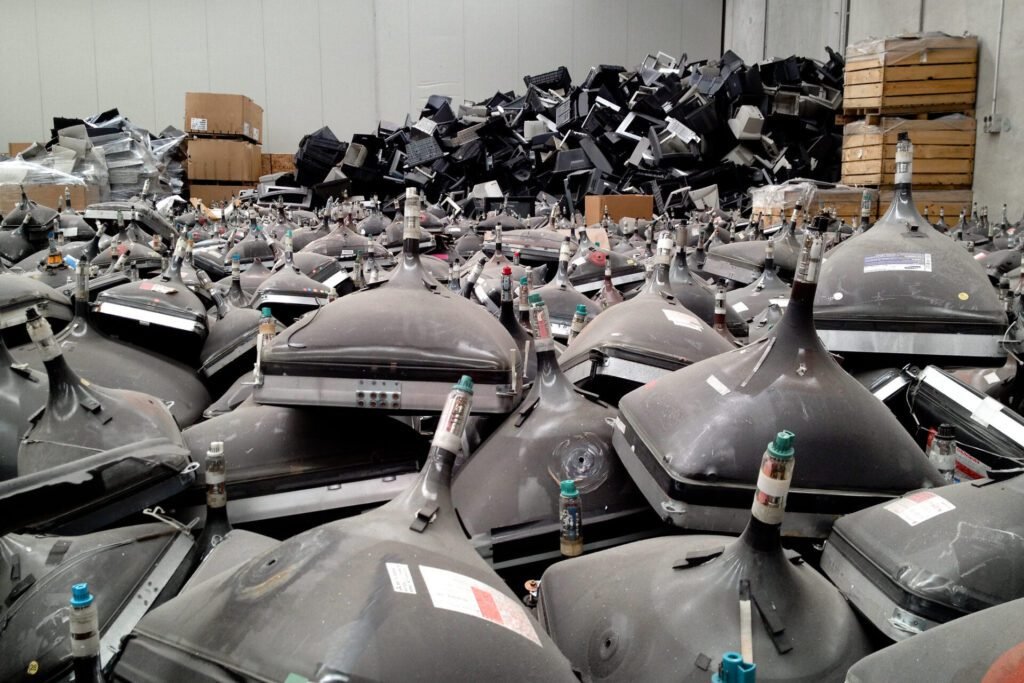
Electronic devices have become essential in our homes, businesses, schools, and industries. However, as technology advances, older devices are discarded more frequently, creating a rapidly growing electronic waste (e-waste) problem. Unfortunately, much of this waste is disposed of incorrectly, causing serious environmental damage. Improper e-waste disposal contaminates soil, water, and air while exposing people and wildlife to hazardous substances. Understanding these impacts is the first step toward building a cleaner, healthier, and more sustainable future. What Is Improper E-Waste Disposal? Improper e-waste disposal refers to throwing away electronic devices without following environmentally safe recycling or disposal methods. Why Improper E-Waste Disposal Is a Global Concern Electronic waste is now the world’s fastest-growing solid waste stream. Millions of tonnes of discarded electronics are generated every year, but only a fraction is recycled properly. The remaining waste often ends up in landfills or informal recycling sites where hazardous materials leak into the environment. Countries across Africa, including Kenya, continue to experience increasing volumes of obsolete electronics due to rapid digital transformation and shorter device lifespans. The Toxic Cocktail Inside Your Electronics The danger of e-waste begins with what’s inside it. Discarded electronics are not inert; they are complex assemblies containing a cocktail of hazardous substances. These substances don’t just disappear. They migrate through the environment, contaminating soil, leaching into groundwater, and releasing toxic fumes into the air. Once they enter ecosystems, they persist, creating long-term pollution problems. The Scale of the Problem: Kenya’s E-Waste Burden. The numbers paint a stark picture of the challenge facing Kenya. Kenya generates an estimated 51,300 to 80,000 metric tonnes of e-waste annually, yet formal collection and recycling systems handle only a fraction of it—as little as 1 percent, according to some estimates. Instead, the vast majority flows into an informal network of collectors, traders, and waste pickers, who often dismantle electronic devices under unsafe conditions. The problem is compounded by Kenya’s role as a regional hub for digital services and the booming second-hand electronics market. While imports of used electronics provide affordable access to technology for many, much of this equipment is near the end of its life and rapidly becomes waste. Televisions, laptops, and tablets alone contributed more than 5,700 tonnes of e-waste in 2024, driven by rapid technological change and a growing culture of replacement over repair. The Three Fronts of Environmental Damage Improper e-waste disposal attacks the environment on three interconnected fronts: soil, water, and air. Soil Contamination. When people dump electronics in landfills or open dumpsites, heavy metals such as lead, mercury, and cadmium leach into the soil, contaminating natural resources and reducing agricultural productivity. This contamination affects not only the immediate area but can render land unsuitable for farming, impacting food security and livelihoods Water Pollution.Rainwater seeps through e-waste dumpsites, carrying toxins into surface and underground water sources.This contaminated runoff can poison rivers and lakes, endangering aquatic life and threatening drinking water supplies for communities downstream.Once contamination occurs, cleanup is costly and long-term. Air PollutionThe informal recycling methods common in Kenya—such as burning cables to extract copper—release toxic fumes including dioxins, furans, and heavy metals into the atmosphere. This contributes to air pollution, respiratory illness, and climate change by releasing greenhouse gases. Research in Ghana, which shares a similar informal e-waste economy, has shown a positive relationship between urbanization near recycling sites and increased air pollution from open burning The Human Cost: A Public Health Crisis The environmental damage of improper e-waste disposal is inextricably linked to human health. Communities living near dumpsites and informal recycling hubs bear the brunt of this toxic burden.A study in Korogocho, Nairobi, found that 61 percent of respondents who handle e-waste reported health issues. Children are especially vulnerable to neurodevelopmental and behavioral effects from lead and mercury exposure.Informal workers like those in Kigali’s repair hubs work with bare hands, inhaling smoke from burning cables, suffering from dizziness and long-term health effects in exchange for a meager livelihood. The Inequality of the E-Waste Crisis E-waste pollution is not an equal opportunity crisis. It disproportionately affects low-income communities, creating a direct link between consumption in affluent areas and environmental degradation in poorer neighborhoods. Electronics discarded in wealthy suburbs of Nairobi often end up in informal settlements like Korogocho, where they are stripped, resold, or burned to extract valuable materials. This flow of waste mirrors a global pattern where unmanaged e-waste often migrates from the Global North to the Global South. In Ghana, one of the world’s largest informal e-waste sites processes electronics sent from across the world, creating a “toxic circular economy” where workers survive at the cost of their long-term health What This Means for Kenyan Businesses For businesses, the environmental impact of improper e-waste disposal translates into real business risks. Regulatory Risk: With the Data Protection Act already in force and emerging e-waste regulations like the EPR Regulations 2024, organizations face fines and reputational damage for non-compliance. Reputational Risk: Customers, investors, and regulatory agencies increasingly expect sustainable practices. If a company’s retired electronics are later found in informal dumps, the reputational damage can be severe. Liability Risk: Without documented downstream accountability, organizations can remain liable for improper handling of their e-waste. Frequently Asked Questions Final Thoughts. The environmental impact of improper e-waste disposal is real, measurable, and entirely avoidable. The toxic legacy of discarded electronics contaminates soil, water, and air, while exposing the most vulnerable among us to serious health risks. For businesses, responsible e-waste management is not just an ethical obligation—it is a regulatory, reputational, and operational necessity At Nalabix, we provide certified IT Asset Disposition services that ensure your retired electronics are managed securely and sustainably. From NIST-compliant data destruction to responsible recycling, we help your business turn e-waste from a liability into an opportunity
IT Asset Disposal Checklist: A Step-by-Step Guide for Kenyan Businesses.
Every business eventually replaces its IT equipment. Whether you’re upgrading office computers, refreshing laptops, decommissioning a data centre, or replacing network infrastructure, proper IT Asset Disposal (ITAD) is essential. With over six years of experience in IT asset disposition, I’ve seen the chaos that follows when businesses dispose of old equipment without a plan. Servers left in hallways. Hard drives forgotten in storage rooms. Data breaches waiting to happen. An IT asset disposal checklist isn’t just good practice—it’s a compliance necessity. Here’s a comprehensive, step-by-step guide based on what I’ve seen work for organizations across Kenya. What Is IT Asset Disposal (ITAD)? IT Asset Disposal (ITAD) is the structured process of securely retiring, sanitizing, refurbishing, recycling, or disposing of obsolete IT equipment. The goal is to protect sensitive data while maximizing the value of retired assets and minimizing environmental impact. Why Every Business Needs an IT Asset Disposal Checklist. Without a clear disposal process, organizations risk: A checklist ensures every device is handled consistently and securely. The Seven-Step Checklist Step 1: Asset Identification and Inventory You can’t dispose of what you don’t know exists. Why it matters: Without a baseline inventory, you cannot quantify your disposal program or demonstrate compliance on audits. Step 2: Policy Definition and Stakeholder Coordination Asset disposal requires coordination between IT departments, compliance teams, finance, and sustainability managers. What to do: Define what constitutes an IT asset in your organization. Establish disposal timelines and methods (reuse, resale, or destruction). Decide whether decommissioning will happen onsite or through a certified vendor. Review Kenya’s tax implications under the Finance Act 2025—asset disposals are now “standalone” tax events where capital losses cannot offset gains. Why it matters: Poor coordination leads to conflicting priorities—IT wants speed, compliance wants security, finance wants value recovery. Step 3: Data Sanitization This is non-negotiable. Simply deleting files or reformatting drives does not remove the data. Under the NIST SP 800-88 standard, there are three levels of data sanitization. Method Description Best For Clear Logical overwrite of user-addressable storage locations Internal reuse, low-risk data Purge Physical or logical techniques that render recovery infeasible using laboratory methods (e.g., degaussing, cryptographic erase) Higher-sensitivity data Destroy Physical destruction (shredding, crushing, incineration) Highly sensitive data; regulatory mandates What to do: Why it matters: Data breaches from improper disposal lead to ODPC fines of up to KES 5 million or 1% of annual turnover, plus reputational damage. Step 4: Physical Destruction (If Required) For devices containing highly sensitive data or physically damaged drives, physical destruction is the safest option. Why it matters: Techniques like bending or shooting a hole through a drive may only partly damage it—professional shredding is required for full destruction. Step 5: Chain of Custody and Secure Transport When assets leave your premises, you lose visibility. A rigorous chain of custody maintains accountability. What to do: Why it matters: The greatest risk to data security occurs when you cannot see the asset . Why it matters: Extending device life reduces procurement costs, lowers carbon footprint, and keeps materials out of landfills. Step 7: Documentation and Certification “Without a paper trail, it didn’t happen”. What to include in your evidence pack: Kenya-specific documentation: Why it matters: This documentation is your defense in an ODPC audit or KRA tax review. Additional Requirements: Employee Return Programs For organizations with distributed workforces, employee return programs present unique challenges. Devices that aren’t returned are at risk of data exposure. Checklist items: Frequently Asked Questions What is an IT Asset Disposal Checklist? An IT Asset Disposal Checklist is a structured list of tasks that helps organizations securely retire, sanitize, refurbish, recycle, or dispose of obsolete IT equipment while protecting sensitive data and maintaining compliance. Why is secure data destruction included in ITAD? Computers, servers, laptops, and storage devices often contain confidential business information. Secure data destruction prevents unauthorized access before equipment is reused or recycled. What equipment should be included in IT asset disposal? Organizations should include computers, laptops, servers, hard drives, SSDs, networking equipment, printers, mobile devices, storage systems, and backup media. Why should businesses work with a licensed ITAD provider? Licensed providers follow secure handling procedures, offer certified data destruction, support environmentally responsible recycling, and provide documentation to support audits and compliance. Final Thoughts An effective IT Asset Disposal process is more than simply removing old equipment—it is a critical part of information security, operational efficiency, and environmental responsibility. By following a structured IT Asset Disposal Checklist, businesses can reduce the risk of data breaches, recover value from retired assets, maintain accurate records, and ensure obsolete electronics are managed responsibly. At Nalabix, we help Kenyan businesses navigate every step of the ITAD process—from inventory to data destruction to value recovery. We provide audit-ready evidence packs that protect you in an audit. Ready to dispose of your IT assets securely? Contact Nalabix today to schedule a pickup.
How to Destroy Data Before Recycling Computers: A Complete Guide for Secure IT Disposal.
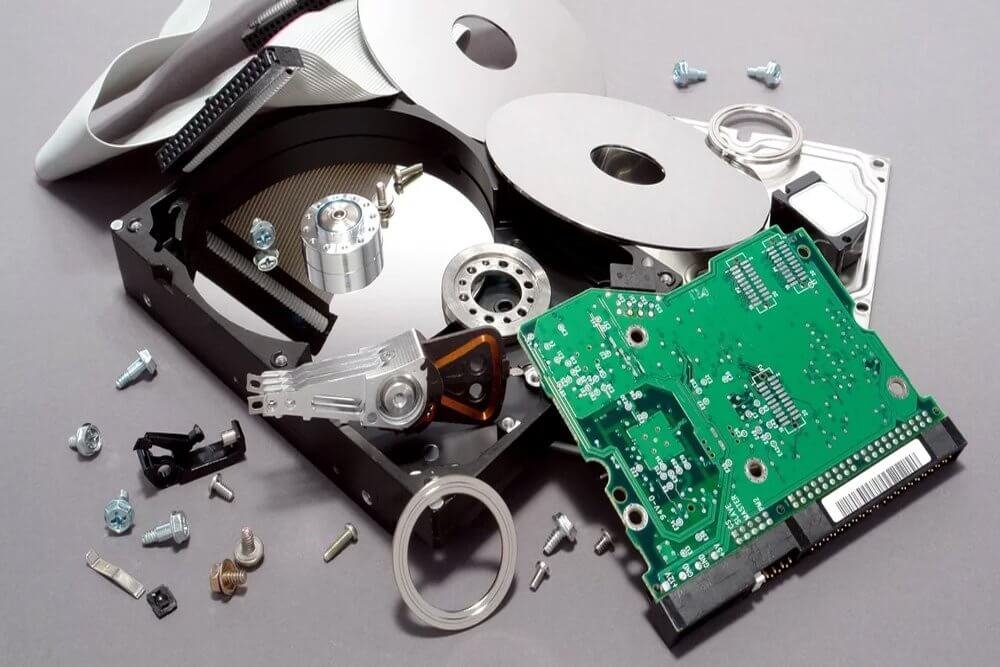
Recycling old computers is one of the best ways to reduce electronic waste and support environmental sustainability. However, before a computer leaves your home or business, there is one critical step you should never overlook: Destroy all sensitive data stored on the device. Every computer stores information that could be valuable to cybercriminals. Financial records, customer databases, passwords, emails, employee files, and confidential business documents can often be recovered—even after files have been deleted or the hard drive has been formatted. Failing to destroy this data properly can lead to identity theft, financial losses, regulatory penalties, and reputational damage. Whether you’re recycling one laptop or decommissioning hundreds of office computers, this guide explains how to destroy data before recycling computers safely, securely, and responsibly. Why “Delete” Isn’t Good Enough Simply deleting files or reformatting a hard drive doesn’t actually remove the data. It only removes the pointers that tell the operating system where the data is stored. The information remains on the drive and can be recovered using inexpensive forensic tools. This is where Kenya’s Data Protection Act (2019) comes into play. The law requires organizations to protect personal data throughout its lifecycle—including disposal. Failure to secure data before recycling can expose your business to data breaches, regulatory fines, and lasting reputational damage. The NIST Framework: Clear, Purge, Destroy The most widely recognized standard for data sanitization is NIST Special Publication 800-88. It categorizes data destruction into three levels: 1. Clear (Software Wiping) This method uses standard read/write commands to overwrite data with nonsensitive patterns. It provides moderate protection against simple recovery techniques and allows the device to be reused internally. Best for: Devices being repurposed within your organization. Limitation: Cannot overwrite data in hidden or inaccessible areas 2. Purge (Advanced Sanitization) Purge provides a higher level of protection using laboratory-level overwrite methods, block erasure, or cryptographic erase. Like Clear, the media remains reusable. Key technique: Cryptographic Erase (Crypto Erase) For self-encrypting drives (SEDs), crypto erase deletes the encryption key that protects the data. Without the key, encrypted data becomes unreadable—effectively destroyed. This process takes just seconds Critical warning: Crypto erase only works if: If these conditions aren’t met, crypto erase alone isn’t sufficient 3. Destroy (Physical Destruction) This renders data recovery infeasible using state-of-the-art laboratory techniques. The media cannot be reused. Techniques include: Important note: Techniques like bending or shooting a hole through a drive may only partly damage it, leaving portions accessible. Professional shredding is required for full destruction. Which Method Should You Choose? The right approach depends on your data sensitivity and what you plan to do with the device: Method Data Recovery Risk Device Reusable? When to Use Clear (Wipe) Moderate Yes Internal reuse, low-risk data Purge (Crypto Erase) Very Low Yes Devices with built-in encryption, fast turnaround Destroy (Shred) Zero No Highly sensitive data, damaged drives, compliance mandates Practical Steps to Take Step 1: Inventory All Devices Before anything leaves your facility, catalog every device that stores data—not just computers, but servers, external drives, and mobile devices. Step 2: Assess Data Sensitivity Classify the data on each device. The level of sanitization should match the sensitivity of the information. Step 3: Choose Your Sanitization Method Step 4: Obtain Proof of Destruction Whether you wipe or shred, documentation is essential for compliance. You should receive: Partner with Nalabix for Certified Data Destruction At Nalabix, we make data destruction simple, secure, and audit-ready. Based in Nairobi, we serve businesses across Kenya What we offer:NIST 800-88 compliant wiping with verification logs On-site hard drive shredding—drive never leaves your sight Certificate of Destruction, serial-level logs, and signed chain-of-custody Nationwide coverage: Nairobi, Mombasa, Kisumu, Nakuru, Eldoret, and beyond What happens if a drive fails wiping? Any drive that fails verification is flagged and escalated to physical shredding. You get notified and the disposition is recorded in your final documentation Frequently Asked Questions Is deleting files enough before recycling a computer? No. Deleted files can often be recovered. Use secure data wiping or physical storage media destruction instead. Can formatted hard drives be recovered? Yes. In many cases, formatted drives still contain recoverable information unless they have been securely sanitized. Should I destroy the hard drive or wipe it? If the drive is functional and will be reused, secure data wiping is usually the best choice. If the drive is damaged or contains highly sensitive information, physical destruction is recommended. Do businesses need a Certificate of Data Destruction? Yes. Certificates provide documented proof that storage media has been securely sanitized or destroyed, supporting compliance, audits, and internal governance. Final Thoughts. Data destruction before recycling isn’t optional—it’s a legal obligation and a fundamental business practice. Whether you choose software wiping, cryptographic erase, or physical destruction, the key is doing it properly and documenting every step. At Nalabix, we help you retire your IT assets with confidence, combining certified data destruction with value recovery to lower your net cost. Ready to destroy your data securely? Contact Nalabix today to schedule a pickup.
10 Environmental Benefits of Recycling Electronic Waste.
Every year, millions of electronic devices reach the end of their useful life. Smartphones, laptops, printers, televisions, servers, batteries, and household appliances are replaced as technology evolves. While these devices improve our lives, they also create one of the world’s fastest-growing waste streams—electronic waste (e-waste). I have witnessed firsthand how responsible e-waste recycling transforms environmental challenges into opportunities for recovery and regeneration. In a world where electronic waste is growing at an alarming rate, understanding the tangible environmental benefits of recycling our gadgets is essential. Here are ten powerful ways recycling e-waste benefits our planet. 1. Conservation of Natural Resources. Every electronic device contains precious metals. One tonne of printed circuit boards contains at least 200 kg of copper, 0.4 kg of silver, and 0.09 kg of gold—concentrations that can be ten times higher than natural ores.When we recycle, we recover these valuable metals for reuse, significantly reducing the need for destructive mining operations that destroy habitats and pollute soil and water Instead of tearing up the earth for new resources, recycling lets us tap into the urban mine of discarded electronics. Kenya, generating approximately 51,300 metric tonnes of e-waste annually, has a significant opportunity to recover these resources locally. 2. Reducing Greenhouse Gas Emissions. The environmental footprint of mining is staggering. Recycling precious metals from e-waste would prevent the emission of 52 million tonnes of mining-related greenhouse gases. It is also projected that recycling plastics from waste electrical and electronic equipment could contribute to 10 million tonnes of carbon reduction by 2050. Every device we recycle reduces the energy-intensive demand for virgin material extraction, directly helping to combat climate change. 3. Reducing Pollution of Soil and Water. When e-waste ends up in landfills, hazardous substances like lead, cadmium, and mercury leach into the ground, contaminating the soil and water supply.In Kenya, the estimated value of avoided agricultural losses from proper e-waste recycling is around KES 200 million per year, as it prevents heavy metals from accumulating in soil and reducing agricultural productivity. 4. Preventing Air Pollution from Toxic Burning. A common method of informal e-waste “recycling” is open burning of plastics to extract copper and other metals. This releases toxic fumes along with dioxins, furans, and heavy metals, leading to long-term environmental contamination and bioaccumulation in food chains.Formal recycling ensures these materials are processed safely, keeping our air clean. 5. Reducing the Need for Hazardous Mining. Mining for metals like gold, copper, and rare earths destroys habitats, produces heaps of toxic waste, and is linked to human rights abuses.By recycling e-waste, we reduce the demand for “conflict minerals” and support a more ethical supply chain. “There are many benefits of recovered raw materials… that is the reason we must recycle every gram of gold and neodymium that is in e-waste”. 6. Preserving Biodiversity and Ecosystems. Toxic substances from e-waste that contaminate waterways and soil harm wildlife—especially aquatic species. The ecological value is difficult to monetize but is critical for ecosystem resilience. Cleaner environments also support Kenya’s tourism brand, with an estimated tourism value contribution of KES 50–100 million per year. 7. Saving Energy Extracting secondary metals through recycling consumes far less energy than mining and processing virgin materials.Producing new electronics from raw materials is an energy-intensive process, while recycling significantly reduces electricity, fossil fuel, and water consumption. The result? A lower carbon footprint for every device we keep out of the ground. 8. Reducing Reliance on Foreign Imports. Kenya imports approximately 70% of its electrical and electronic equipment.Recycling e-waste provides secondary raw materials like copper and aluminum, reducing foreign exchange outflows and import dependency. This import substitution effect is valued at KES 500 million to 1 billion per year at 30% recovery 9. Extending the Lifespan of Materials Through the Circular Economy One of the most profound environmental benefits is that recycling keeps materials in circulation. Instead of a “take-make-dispose” model, the circular economy uses resources efficiently. In Kenya, innovations like those at Qtron Industries are giving electric vehicle batteries a second life by repurposing them for solar and wind energy storage 10. Encouraging Sustainable Consumption and Responsibility When we recycle, we send a powerful message about responsibility. Participating in electronic recycling encourages sustainable practices and responsible consumption.It inspires communities, businesses, and governments to prioritize sustainability, helping to break the cycle of disposability that defines modern consumer culture. Why Choose Nalabix for Responsible E-Waste Recycling? At Nalabix, environmental protection is at the heart of everything we do. We help businesses, institutions, and households across Kenya recycle electronic waste safely and responsibly through professional collection, secure processing, and environmentally sound recycling practices. Our services include: By partnering with Nalabix, organizations not only protect sensitive information but also contribute to a cleaner environment and a stronger circular economy. The Future of E-Waste Recycling in Kenya As Kenya continues to expand its digital economy, the volume of electronic waste will continue to grow. Businesses, government institutions, schools, healthcare providers, manufacturers, and households all have an important role to play in reducing the environmental impact of obsolete electronics. Choosing responsible recycling today helps preserve natural resources, reduce pollution, and create a more sustainable future for generations to come. Frequently Asked Questions Why is recycling electronic waste important? Recycling electronic waste prevents pollution, conserves valuable resources, reduces landfill waste, and supports sustainable manufacturing. What environmental problems does e-waste cause? Improperly managed electronic waste can contaminate soil and water, release toxic substances, increase greenhouse gas emissions, and damage ecosystems. Can valuable materials be recovered from old electronics? Yes. Electronics contain valuable materials such as gold, copper, aluminium, silver, steel, and rare earth elements that can be recovered and reused through responsible recycling. How can businesses recycle electronic waste responsibly? Businesses should work with licensed e-waste recycling companies that provide secure collection, certified data destruction, IT Asset Disposal (ITAD), and environmentally responsible recycling. Final Thoughts Electronic waste is not just a growing environmental challenge—it is also an opportunity to build a more sustainable future. The environmental case for recycling electronic waste is overwhelming. From saving
Common E-Waste Recycling Mistakes Businesses Make.
With over ten years of experience in the IT asset disposition industry, I’ve seen businesses across Kenya make the same critical mistakes when it comes to electronic waste recycling. These errors aren’t just costly—they can damage your reputation, violate regulations, and harm the environment. Let me share the most common pitfalls I’ve encountered and, more importantly, how to avoid them. The “One Wrong Item Doesn’t Matter” Mindset. I’ve walked into countless offices where employees toss anything with a plug into the general waste bin. One phone. One dead battery. One old mouse. What’s the harm? The damage is real. Even a single item placed in the wrong bin can contaminate an entire load of recyclables.This practice, known as “wish-cycling,” drives up disposal costs and undermines genuine sustainability efforts. The Fix: Train your team to recognize common contaminants. Use clear, visual signage on recycling bins and place reminders in shared spaces.When in doubt, your staff should know to ask rather than guess. Tossing Electronics in the Dumpster. This remains one of the most dangerous mistakes I see. Old laptops, printers, phones, and monitors end up in regular rubbish bins—often because businesses don’t know what else to do with them. Kenyan businesses face real legal and environmental risks here. Electronics contain hazardous materials like lead, mercury, and cadmium that should never reach landfills.The Data Protection Act also requires secure data erasure before disposal—something a dumpster run simply doesn’t provide. The Fix: Designate a secure area for e-waste collection within your facility. Store used devices in labeled bins until pickup by a certified recycler like Nalabix. Assuming Old Equipment Has No Value I’ve watched companies pay disposal fees for assets that could have generated revenue. Old desks, filing cabinets, and IT equipment often get tossed during office moves or upgrades, with businesses missing the opportunity for reuse or resale. The Fix: Before you dispose of equipment, assess its resale potential. Nalabix offers asset liquidation services, providing cash offers for eligible laptops, workstations, and servers—often offsetting disposal costs entirely. Trusting Unverified Recyclers. This is perhaps the most subtle but dangerous mistake. I’ve seen businesses choose recycling partners based solely on price, without verifying their credentials. The result? E-waste ends up in informal recycling yards where workers handle hazardous materials without safety equipment. Formal recyclers must invest heavily in specialized equipment, trained personnel, and compliance infrastructure. Profit margins in formal recycling typically range between 10% and 20%, far lower than the potential value of recovered materials.When a quote seems too cheap, it often means corners are being cut. The Fix: Choose a certified partner with documented processes, chain-of-custody documentation, and compliance with NEMA regulations. At Nalabix, we provide audit-ready evidence packs that prove your e-waste was handled responsibly. Overlooking Data Security. The Data Protection Act makes secure data erasure mandatory—not optional. Yet I still encounter businesses that rely on simple file deletion or factory resets. These methods don’t actually remove data from storage devices. The Fix: Work with a provider that follows NIST 800-88 guidelines for data sanitization. Nalabix offers both certified wiping (with verification logs) and on-site hard drive shredding—so you can witness the destruction yourself. Treating E-Waste Like Regular Waste. Many businesses still treat e-waste as a facilities issue rather than a compliance issue. This oversight can be costly. Under Kenya’s Data Protection Act and emerging e-waste regulations, businesses face administrative fines of up to KES 5 million or 1% of annual turnover. The Fix: Integrate e-waste management into your compliance framework. Appoint a responsible person or team to oversee IT asset disposition and ensure proper documentation. What Proper E-Waste Recycling Looks Like Responsible e-waste recycling involves: Frequently Asked Questions What is the biggest e-waste recycling mistake businesses make? The most common mistake is disposing of computers and storage devices without securely destroying the data they contain. Why shouldn’t businesses store old electronics? Unused equipment takes up valuable space, loses resale value over time, and may contain sensitive information that remains vulnerable if not properly managed. Can old business computers be reused? Yes. Many computers can be refurbished, upgraded, or redeployed after certified data wiping, reducing costs and minimizing electronic waste. Why should businesses choose a licensed e-waste recycler? Licensed recyclers follow recognized environmental and data security practices. They also provide documentation, such as Certificates of Recycling and Data Destruction, to support compliance and accountability. Final Thoughts After six years in this industry, I can tell you this: the cost of getting e-waste disposal wrong always exceeds the cost of getting it right. Whether it’s regulatory fines, data breaches, or reputational damage, the risks are real. Electronic waste is more than a disposal challenge—it’s a business responsibility. Every outdated laptop, server, printer, or hard drive represents a decision that can either protect your organization or expose it to unnecessary risks. At Nalabix, we make responsible e-waste disposal simple, secure, and compliant. We handle everything from secure data destruction to value recovery—so you can focus on your core business.
Hard Drive Destruction vs Secure Data Wiping: Which Is Better?
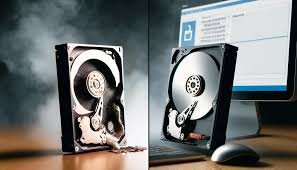
Every computer, laptop, server, and storage device eventually reaches the end of its useful life. But before you sell, recycle, refurbish, or dispose of these devices, you must answer one critical question: How do you ensure no one can recover the data stored on them? Despite the risks, many organizations still believe that deleting files or formatting a hard drive provides complete protection. However, readily available software can often recover deleted data, exposing sensitive business information to cybercriminals and unauthorized users. To prevent data breaches, businesses typically choose between secure data wiping and physical hard drive destruction. While both methods are effective when performed correctly, they serve different purposes. In this guide, we’ll compare both approaches, explain their advantages and limitations, and help you determine which solution best fits your organization’s data security and sustainability goals. Why Secure Data Disposal Matters Old storage devices often contain valuable and confidential information, including: If your organization discards these devices without properly sanitizing them, you could face: Protecting information should always be the first step before retiring any IT asset. What Is Secure Data Wiping? Secure data wiping is a software-based process that permanently overwrites the data stored on a hard drive or solid-state drive (SSD). Rather than simply deleting files, specialized software writes new data across the storage media multiple times—or follows modern sanitization standards—to make the original information unrecoverable. Advantages of Secure Data Wiping. Allows Equipment Reuse Because the storage device remains functional, it can be: This supports sustainability and extends the lifecycle of IT assets. Maximizes Asset Value Organizations can recover value from equipment instead of destroying usable hardware. This is especially important for: Audit Documentation Professional wiping services provide detailed reports showing: These records support compliance and internal audits. Limitations of Secure Data Wiping While highly effective, data wiping may not be appropriate when: In these situations, physical destruction is often the preferred option. How Hard Drive Destruction Works. A professional destruction process generally includes: This ensures both data security and environmentally responsible disposal. Advantages of Hard Drive Destruction. Maximum Data Security Once a drive has been shredded or otherwise destroyed, recovering data is practically impossible. This makes it suitable for: Fast Processing Large quantities of obsolete drives can be destroyed quickly during IT refresh projects or data centre decommissioning. Compliance Support Many organizations require documented proof that storage devices have been physically destroyed. Certificates provide evidence for audits and regulatory requirements. Hard Drive Destruction vs. Secure Data Wiping Feature Secure Data Wiping Hard Drive Destruction Data permanently removed ✅ Yes ✅ Yes Drive remains usable ✅ Yes ❌ No Supports refurbishment ✅ Yes ❌ No Asset value recovery ✅ Yes ❌ No Suitable for damaged drives ❌ No ✅ Yes Best for failed drives ❌ No ✅ Yes Environmentally sustainable ✅ Excellent ✅ Good (when recycled) Highest level of physical assurance ❌ No ✅ Yes The Best Practice: Use Both When Appropriate Many organizations use a combination of both methods. For example: This balanced approach strengthens security while reducing unnecessary electronic waste. Whether you are retiring a single laptop or hundreds of enterprise storage devices, our team follows documented procedures that prioritize data security, compliance, and environmental responsibility. Frequently Asked Questions Is deleting files enough to protect my data? For this reason, no. Deleted files can remain recoverable, leaving sensitive information exposed. Organizations need secure data wiping or physical destruction to permanently eliminate that risk. Can SSDs be securely wiped? Yes. Many SSDs can be securely sanitized using approved methods. However, damaged or inaccessible SSDs are often physically destroyed. Do you provide certificates? Yes. Nalabix issues Certificates of Data Destruction and supporting reports for organizations requiring documented proof of secure media sanitization or destruction. Which method is recommended for businesses? In practice, most businesses benefit from combining both approaches: secure data wiping for reusable equipment and physical destruction for failed or highly sensitive storage devices. Final Thoughts Secure data wiping is ideal when drives remain functional and can be reused, helping businesses recover value while reducing electronic waste. Hard drive destruction provides the highest level of physical assurance for damaged drives or highly confidential information that must never be recoverable. At Nalabix, we help organizations across Kenya make the right choice through professional data sanitization, certified hard drive destruction, IT Asset Disposal (ITAD), and responsible e-waste recycling.
Hard Drive Destruction vs Secure Data Wiping: Which Is Better?
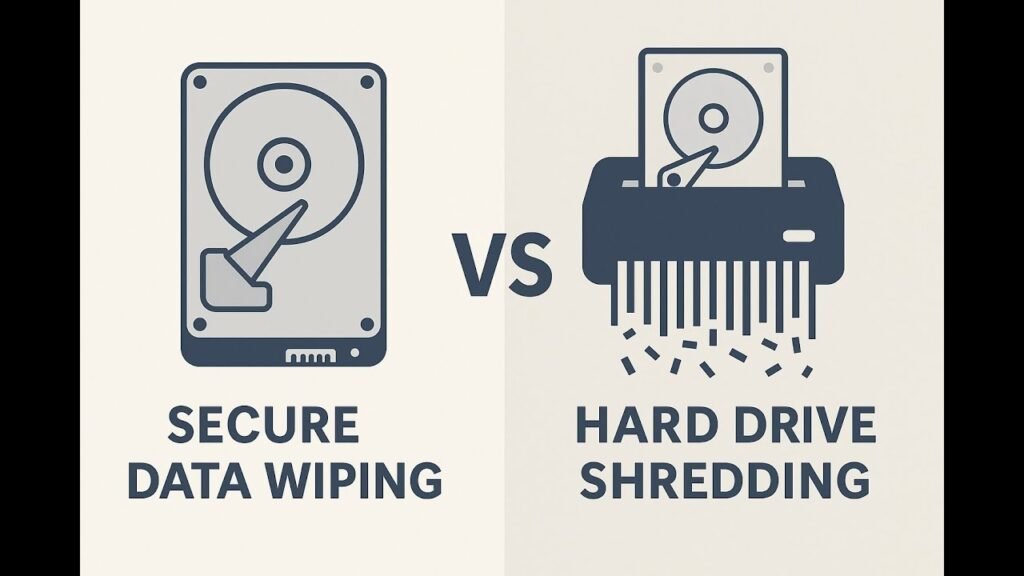
When retiring old IT equipment, organisations must choose between physically destroying the hard drive and securely wiping the data. The right option depends on your specific needs, security requirements, and business goals. Here’s a clear breakdown to help you decide. Understanding the Options Physical Destruction (Hard Drive Shredding) This process physically destroys the storage device using industrial shredders, crushers, or degaussers, making all data completely unreadable and unrecoverable by any means. It permanently renders the drive unusable. Compliance: Meets strict standards for HIPAA, GLBA, and government requirements Security Level: Highest. Eliminates any possibility of data recovery. Best For: Highly sensitive or regulated data where zero risk is acceptable. Certificate Issued: Yes, a Certificate of Destruction is provided. Secure Data Wiping (Data Erasure) This is a software-based process of securely overwriting all data on a storage device multiple times with random patterns, making the original information permanently unrecoverable while keeping the drive physically intact and functional for reuse. Which Method Does Your Situation Require? Consider Physical Destruction When: Consider Secure Wiping When: Critical Differences at a Glance Factor Physical Destruction Secure Data Wiping Security Level Highest High Drive Reusable? No Yes Data Recovery Risk Zero Negligible Best For Sensitive/regulated data Reuse or resale Compliance Standards HIPAA, DOD, NSA, GLBA DOD, NIST 800-88 The Hybrid Approach Many businesses combine both methods by physically destroying end-of-life drives that contain sensitive data while using certified wiping for devices they plan to remarket. This strategy balances security, regulatory compliance, and value recovery. Expert Recommendation Certified providers can execute both methods effectively. For highly confidential data, organisations should first perform secure data erasure and then physically destroy the device. This approach adds multiple layers of protection and safeguards data throughout the entire chain of custody. Secure your data with confidence. Contact Nalabix today to discuss your specific needs and schedule our certified data destruction services.