Data Breaches Caused by Improper Device Disposal
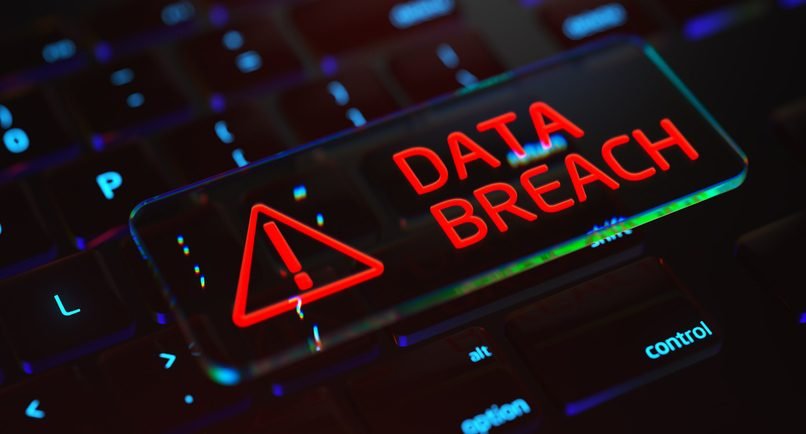
When a computer, hard drive, laptop, server, or other electronic device reaches the end of its useful life, many organizations focus on getting rid of the physical equipment. But there is another important question: What happens to the data stored on it? Improper device disposal can expose confidential information long after a device leaves the office. Simply deleting files or formatting a drive does not always remove the data permanently. If storage devices are discarded, resold, donated, or recycled without proper data destruction, sensitive information can potentially be recovered. How Improper Disposal Can Cause a Data Breach A data breach can happen when an old device containing recoverable information falls into the wrong hands. Devices such as: may contain customer records, employee information, financial documents, passwords, business files, or other confidential data. If the information has not been securely erased or physically destroyed, someone with the right tools and knowledge may be able to recover it. Why Deleting Files Is Not Enough One of the most common mistakes is assuming that deleting a file means it is gone forever. In many cases, deleting files only removes the references that allow the operating system to locate them. The underlying information may remain on the storage media until it is overwritten or otherwise securely destroyed. Even a factory reset or standard formatting may not provide the level of protection required for sensitive business information. That is why organizations should use a verified data destruction process before disposing of data-bearing devices. The Risks to Businesses Improper disposal can expose businesses to several risks, including: 1. Loss of Confidential Information Customer details, employee records, financial information, and internal documents may become accessible to unauthorized individuals. 2. Financial Loss A data breach can result in investigation costs, operational disruption, legal expenses, and potential financial penalties. 3. Damage to Reputation Customers and business partners expect organizations to protect their information. A preventable breach can seriously affect trust. 4. Compliance Problems Organizations may have legal, regulatory, contractual, or internal requirements for protecting and securely disposing of information. 5. Competitive Risk Old devices may contain business strategies, intellectual property, passwords, customer databases, or other commercially sensitive information. How Businesses Can Prevent Disposal-Related Data Breaches Secure disposal should be treated as part of the data security lifecycle—not as an afterthought. A good process includes: 1. Identify data-bearing devicesKnow which equipment contains storage media and track each device through the disposal process. 2. Choose the appropriate destruction methodDepending on the device and security requirements, this may involve secure data wiping or physical destruction. 3. Use a controlled disposal processDevices should be securely collected, transported, handled, and processed to reduce the risk of loss or unauthorized access. 4. Keep recordsMaintain documentation showing what was processed, when it was handled, and how the data was destroyed. 5. Obtain a Certificate of DestructionA certificate provides documented evidence that data-bearing devices were processed according to the agreed destruction requirements. Secure Disposal Protects More Than Hardware Responsible IT asset disposal is not simply about removing unwanted equipment from an office. It is about protecting the information that remains on those devices while ensuring the equipment is handled responsibly. For organizations in Kenya, working with a professional e-waste and data destruction provider can help create a secure chain of custody from collection through final destruction or recycling. Final Word An old device can still contain valuable data. Throwing it away, selling it, or sending it for recycling without proper data destruction can create a serious security risk. Before any computer, hard drive, server, or other data-bearing device leaves your organization, make sure the information stored on it has been securely destroyed and that the process is properly documented.
Best Practices for Secure IT Asset Disposal
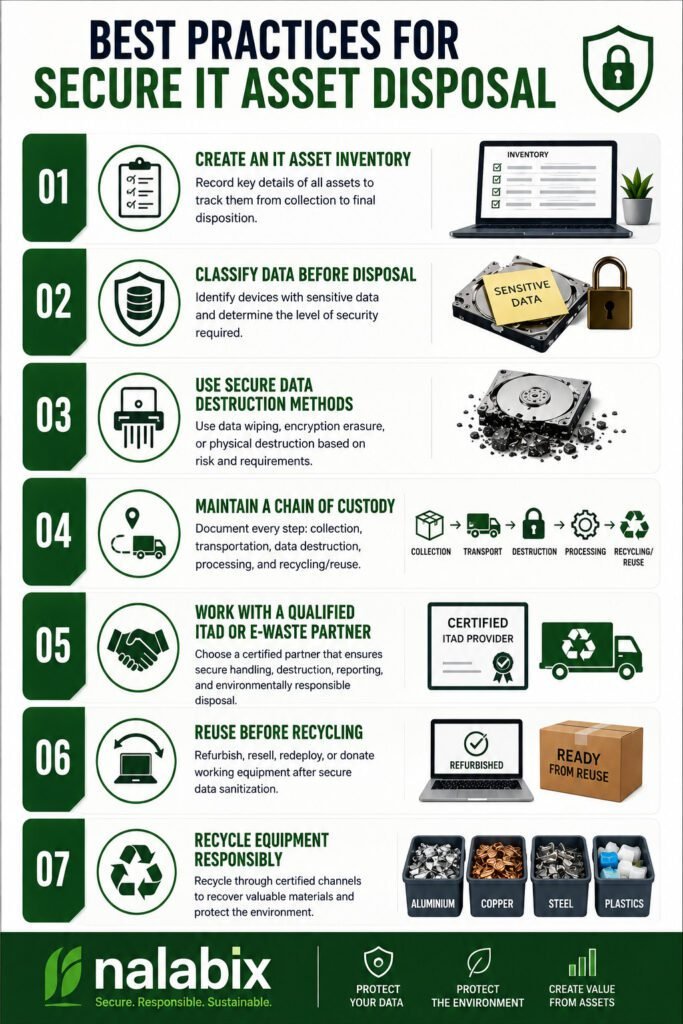
When computers, servers, hard drives, laptops, and other IT equipment reach the end of their useful life, simply throwing them away is not enough. These devices may still contain confidential business information, customer records, passwords, financial data, and other sensitive information. Secure IT asset disposal ensures that old equipment is handled responsibly while protecting data, meeting compliance requirements, and supporting environmentally responsible recycling. Best Practices for Secure IT Asset Disposal 1. Create an IT Asset Inventory Before disposing of equipment, identify what you have. Record details such as: A proper inventory creates accountability and makes it easier to track every asset from collection to final disposition. 2. Classify Data Before Disposal Not every device carries the same level of risk. Identify equipment that may contain sensitive information, including: High-risk devices should receive an appropriate level of data destruction before they are reused, recycled, or disposed of. 3. Use Secure Data Destruction Methods Deleting files or performing a quick factory reset does not always provide sufficient protection. Depending on the device and security requirements, organizations can use methods such as: For organizations following recognized data-security practices, methods aligned with NIST SP 800-88 can provide a structured approach to media sanitization. 4. Maintain a Chain of Custody Data security should not stop when equipment leaves your office. Maintain records showing: Collection → Transportation → Data Destruction → Processing → Recycling/Reuse A documented chain of custody helps organizations know where their assets are at every stage and reduces the risk of loss, theft, or unauthorized access. 5. Work With a Qualified ITAD or E-Waste Partner Choosing the right disposal provider is one of the most important steps. Look for a provider that can demonstrate: A reputable provider should be able to explain exactly what happens to your equipment after collection. 6. Reuse Before Recycling Not every old device needs to be destroyed. Equipment that is still functional may be suitable for refurbishment, resale, redeployment, or donation after secure data sanitization. Extending the useful life of equipment reduces electronic waste and helps recover value from technology that still has practical use. 7. Recycle Equipment Responsibly Devices that cannot be reused should be processed through responsible e-waste recycling channels. Computers and electronics contain recoverable materials such as aluminium, copper, steel, and other valuable components, but they may also contain substances that require controlled handling. Responsible recycling helps prevent electronic waste from ending up in uncontrolled dumpsites or informal processing environments. Why Certificates and Documentation Matter A secure IT asset disposal process should leave an audit trail. Depending on the service provided, organizations may receive documents such as: These records provide evidence that equipment was handled according to the agreed disposal process and can be valuable for internal audits, compliance, and corporate governance. Common IT Disposal Mistakes to Avoid Avoid these common practices: Simply deleting files: Deleted files may remain recoverable. Throwing computers in general waste: This creates data-security and environmental risks. Removing the hard drive and ignoring the rest: Other devices may contain storage components or sensitive information. Using an unverified disposal company: You may lose visibility of what happens to your equipment. Failing to keep records: Without documentation, it can be difficult to prove how assets were handled. A Secure Disposal Process Is More Than Getting Rid of Old Equipment Secure IT asset disposal combines data protection, asset management, compliance, value recovery, and environmental responsibility. For businesses, the goal should not simply be to remove unwanted computers and electronics from the workplace. The goal is to ensure that every asset is securely tracked, data is properly destroyed or sanitized, reusable equipment is recovered, and e-waste is responsibly recycled. By following these best practices and working with a qualified ITAD or e-waste management provider, organizations can reduce data-security risks while making their technology disposal process more responsible and accountable. Secure Your IT Asset Disposal With Nalabix Nalabix provides secure IT asset disposal, data destruction, IT asset disposition, e-waste collection, and responsible electronics recycling services in Kenya. Our approach helps businesses protect sensitive information while ensuring end-of-life equipment is handled responsibly.
Hard Drive Destruction vs Data Wiping: Which Is More Secure?
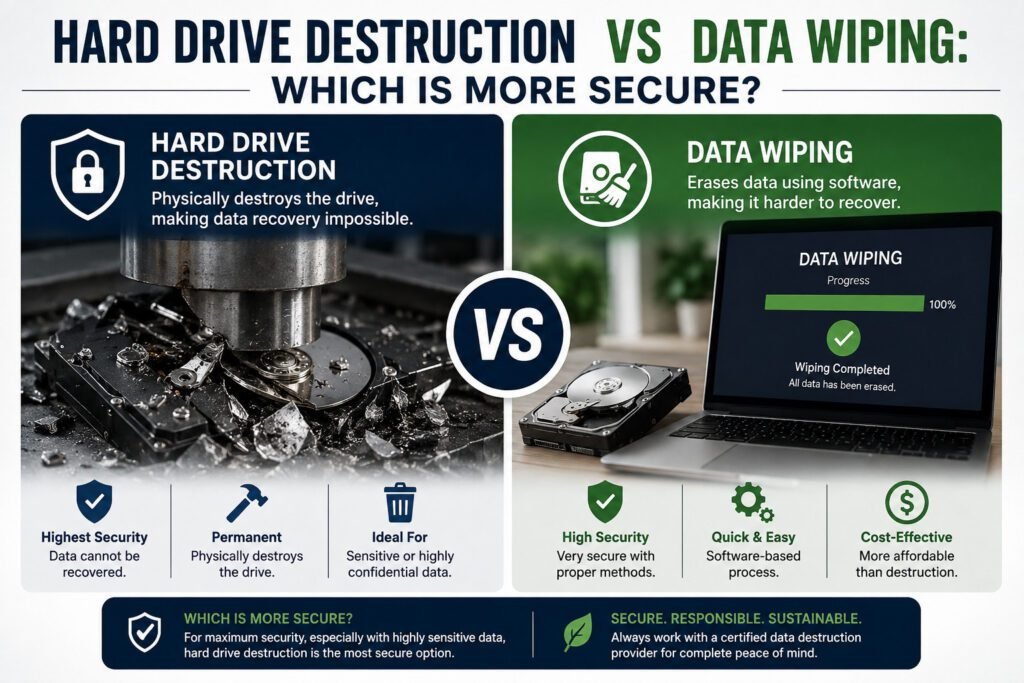
When a computer, server, or storage device reaches the end of its useful life, simply deleting files is not enough. Sensitive information can remain on a hard drive even after files are removed or a device is reset. For businesses, the key question is: Should you wipe the data or physically destroy the hard drive? Both methods can protect information, but they serve different purposes. What Is Data Wiping? Data wiping is the process of securely removing information from a storage device so that it cannot be recovered using normal data recovery methods. Unlike simply deleting files or formatting a drive, secure wiping overwrites the data according to an established sanitization method. For example, we use recognized data sanitization procedures such as NIST SP 800-88 to determine the appropriate method for different types of storage media. When is data wiping useful? Data wiping is often suitable when: The major advantage is that the storage device remains usable after successful sanitization. What Is Hard Drive Destruction? Hard drive destruction involves physically damaging or dismantling a storage device so that the data stored on it cannot be practically accessed. Depending on the process, this may involve shredding, crushing, drilling, cutting, or dismantling the drive. Once properly destroyed, the drive is no longer suitable for normal use. When is destruction the better option? Physical destruction may be appropriate when: For particularly sensitive information, physical destruction provides a clear final step in the disposal process. Hard Drive Destruction vs Data Wiping Feature Data Wiping Hard Drive Destruction Data removed Yes Yes Drive remains usable Usually No Suitable for reuse ✅ Yes ❌ No Suitable for end-of-life drives ✅ Sometimes ✅ Yes Physical damage No Yes Best for Reuse and redeployment Permanent disposal Verification Can be documented Can be documented Which Method Should You Choose? The right method depends on what happens to the device after data removal. If the computer or hard drive will be reused, sold, refurbished, or redeployed, secure data wiping is generally the more practical option. If the device is damaged, obsolete, or being permanently retired, physical destruction may provide a stronger final assurance that the data cannot be recovered. In some cases, organizations may use a combination of processes—for example, securely wiping usable devices while physically destroying storage media that cannot be trusted or reused. Why Businesses Need Proof of Data Destruction For businesses, securely removing data is only part of the process. Documentation matters too. A professional data destruction process should provide evidence of what happened to the storage device. Depending on the method used, this may include: This creates an audit trail and helps organizations demonstrate responsible handling of sensitive information. The Bottom Line Data wiping and hard drive destruction are not competing solutions—they are tools for different situations. Choose data wiping when the storage device needs to remain operational. Choose physical destruction when the device is being permanently retired or the risks associated with the data require a final physical barrier. The most important thing is not simply throwing away a hard drive. It is ensuring the information stored on it cannot fall into the wrong hands. Need Secure Data Destruction in Kenya? Nalabix provides professional data destruction and IT asset disposal services in Kenya, helping businesses securely handle end-of-life computers, hard drives, SSDs and other electronic equipment. Whether you need secure data wiping, physical drive destruction, or documented IT asset disposal, using a professional process helps protect your data while supporting responsible e-waste management.
Why Data Destruction Matters:
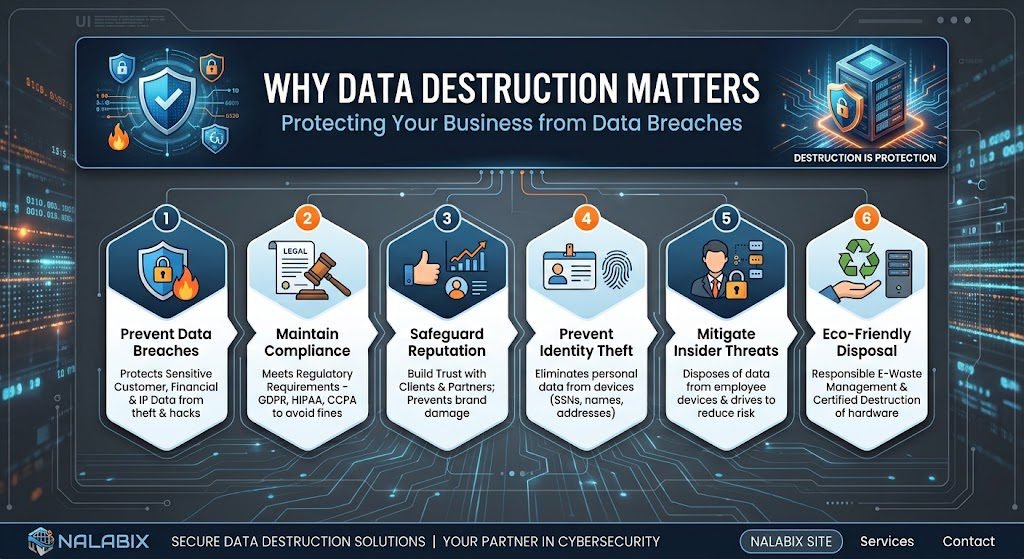
When a computer, hard drive, server or laptop reaches the end of its useful life, many businesses focus on disposing of the hardware. But there is something far more valuable inside that equipment: data. Old devices can contain customer records, financial information, employee details, passwords, emails and confidential business files. Simply deleting these files does not necessarily make them disappear. This is why secure data destruction is an essential part of responsible IT asset disposal. What Is Data Destruction? Data destruction is the process of permanently removing information from electronic storage devices so that it cannot be accessed or recovered. Depending on the type of device and the sensitivity of the information, data can be destroyed through: The objective is simple: ensure sensitive information does not fall into the wrong hands. Why Is Data Destruction Important? 2. Reduces the Risk of Data Breaches Improperly disposed IT equipment can create an unexpected security risk. A discarded hard drive could potentially expose sensitive information if it has not been properly wiped or destroyed. This can lead to financial losses, reputational damage and loss of customer trust. Secure data destruction closes this gap in the IT asset lifecycle. 📋 3. Provides Proof of Responsible Disposal Businesses should be able to demonstrate what happened to their retired IT equipment. A professional data destruction service can provide documentation such as a Certificate of Destruction, recording that the data-bearing device was securely processed. This creates accountability and helps businesses maintain proper internal and compliance records. 🏢 4. Protects Your Company’s Reputation Customers trust businesses with their information. If a retired laptop or hard drive ends up exposing customer data, the consequences can extend far beyond the device itself. It can damage the reputation that a business has spent years building. Secure data destruction shows customers, employees and business partners that information security remains a priority—even when equipment is being retired. Is Deleting Files Enough? No. Deleting a file or formatting a drive is not the same as securely destroying the data. Depending on the storage device and method used, deleted information may still be recoverable using specialized software or techniques. For sensitive information, businesses should use a verified data destruction method appropriate to the device and security requirements. Data Destruction and E-Waste Recycling Data security and e-waste recycling should work together. Once data has been securely removed, suitable equipment can be reused, refurbished or recycled instead of being unnecessarily sent to landfill. For example, a company replacing 100 office computers could have the devices collected, sensitive data securely wiped or storage media destroyed, and the remaining equipment assessed for reuse or responsible recycling. This approach protects both digital information and the physical environment. Data Destruction in Kenya As organizations across Kenya upgrade computers, servers, storage devices and other IT equipment, secure end-of-life management is becoming increasingly important. Businesses should choose professional data destruction and IT asset disposal services in Kenya that can: This is particularly important for organizations handling large volumes of sensitive information, including financial institutions, healthcare organizations, government agencies, educational institutions and technology companies. What Should Businesses Do With Old Hard Drives? Do not simply throw them in general waste or hand them over without knowing how the data will be handled. Instead, businesses should: Identify → Secure → Destroy → Document → Recycle This creates a clear chain of responsibility from the moment equipment is retired to its final destination. The Bottom Line Data destruction matters because getting rid of a device does not automatically get rid of the information stored on it. Whether you are replacing a single office computer or decommissioning an entire data centre, secure data destruction helps protect confidential information, reduce security risks and support responsible IT asset disposal. At the same time, properly processed equipment can be reused or recycled, helping businesses in Kenya move towards a more sustainable circular economy. Your data may be digital, but the risk of improper disposal is very real. Protect it until the very end of the device’s lifecycle.
Hard Drive Destruction vs Secure Data Wiping: Which Is Better?
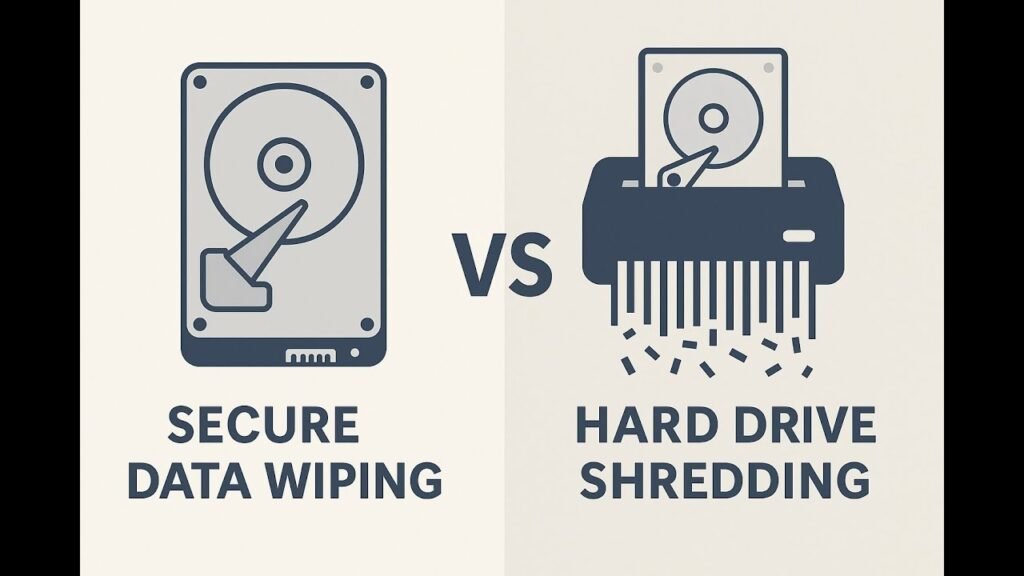
When retiring old IT equipment, organisations must choose between physically destroying the hard drive and securely wiping the data. The right option depends on your specific needs, security requirements, and business goals. Here’s a clear breakdown to help you decide. Understanding the Options Physical Destruction (Hard Drive Shredding) This process physically destroys the storage device using industrial shredders, crushers, or degaussers, making all data completely unreadable and unrecoverable by any means. It permanently renders the drive unusable. Compliance: Meets strict standards for HIPAA, GLBA, and government requirements Security Level: Highest. Eliminates any possibility of data recovery. Best For: Highly sensitive or regulated data where zero risk is acceptable. Certificate Issued: Yes, a Certificate of Destruction is provided. Secure Data Wiping (Data Erasure) This is a software-based process of securely overwriting all data on a storage device multiple times with random patterns, making the original information permanently unrecoverable while keeping the drive physically intact and functional for reuse. Which Method Does Your Situation Require? Consider Physical Destruction When: Consider Secure Wiping When: Critical Differences at a Glance Factor Physical Destruction Secure Data Wiping Security Level Highest High Drive Reusable? No Yes Data Recovery Risk Zero Negligible Best For Sensitive/regulated data Reuse or resale Compliance Standards HIPAA, DOD, NSA, GLBA DOD, NIST 800-88 The Hybrid Approach Many businesses combine both methods by physically destroying end-of-life drives that contain sensitive data while using certified wiping for devices they plan to remarket. This strategy balances security, regulatory compliance, and value recovery. Expert Recommendation Certified providers can execute both methods effectively. For highly confidential data, organisations should first perform secure data erasure and then physically destroy the device. This approach adds multiple layers of protection and safeguards data throughout the entire chain of custody. Secure your data with confidence. Contact Nalabix today to discuss your specific needs and schedule our certified data destruction services.