Best Practices for Secure IT Asset Disposal
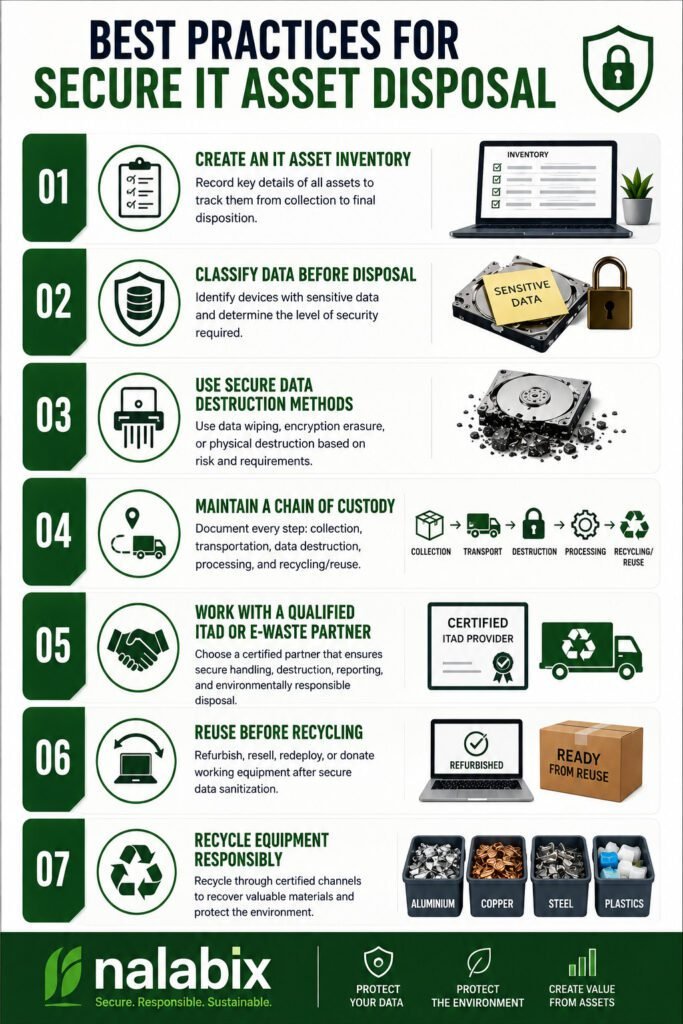
When computers, servers, hard drives, laptops, and other IT equipment reach the end of their useful life, simply throwing them away is not enough. These devices may still contain confidential business information, customer records, passwords, financial data, and other sensitive information. Secure IT asset disposal ensures that old equipment is handled responsibly while protecting data, meeting compliance requirements, and supporting environmentally responsible recycling. Best Practices for Secure IT Asset Disposal 1. Create an IT Asset Inventory Before disposing of equipment, identify what you have. Record details such as: A proper inventory creates accountability and makes it easier to track every asset from collection to final disposition. 2. Classify Data Before Disposal Not every device carries the same level of risk. Identify equipment that may contain sensitive information, including: High-risk devices should receive an appropriate level of data destruction before they are reused, recycled, or disposed of. 3. Use Secure Data Destruction Methods Deleting files or performing a quick factory reset does not always provide sufficient protection. Depending on the device and security requirements, organizations can use methods such as: For organizations following recognized data-security practices, methods aligned with NIST SP 800-88 can provide a structured approach to media sanitization. 4. Maintain a Chain of Custody Data security should not stop when equipment leaves your office. Maintain records showing: Collection → Transportation → Data Destruction → Processing → Recycling/Reuse A documented chain of custody helps organizations know where their assets are at every stage and reduces the risk of loss, theft, or unauthorized access. 5. Work With a Qualified ITAD or E-Waste Partner Choosing the right disposal provider is one of the most important steps. Look for a provider that can demonstrate: A reputable provider should be able to explain exactly what happens to your equipment after collection. 6. Reuse Before Recycling Not every old device needs to be destroyed. Equipment that is still functional may be suitable for refurbishment, resale, redeployment, or donation after secure data sanitization. Extending the useful life of equipment reduces electronic waste and helps recover value from technology that still has practical use. 7. Recycle Equipment Responsibly Devices that cannot be reused should be processed through responsible e-waste recycling channels. Computers and electronics contain recoverable materials such as aluminium, copper, steel, and other valuable components, but they may also contain substances that require controlled handling. Responsible recycling helps prevent electronic waste from ending up in uncontrolled dumpsites or informal processing environments. Why Certificates and Documentation Matter A secure IT asset disposal process should leave an audit trail. Depending on the service provided, organizations may receive documents such as: These records provide evidence that equipment was handled according to the agreed disposal process and can be valuable for internal audits, compliance, and corporate governance. Common IT Disposal Mistakes to Avoid Avoid these common practices: Simply deleting files: Deleted files may remain recoverable. Throwing computers in general waste: This creates data-security and environmental risks. Removing the hard drive and ignoring the rest: Other devices may contain storage components or sensitive information. Using an unverified disposal company: You may lose visibility of what happens to your equipment. Failing to keep records: Without documentation, it can be difficult to prove how assets were handled. A Secure Disposal Process Is More Than Getting Rid of Old Equipment Secure IT asset disposal combines data protection, asset management, compliance, value recovery, and environmental responsibility. For businesses, the goal should not simply be to remove unwanted computers and electronics from the workplace. The goal is to ensure that every asset is securely tracked, data is properly destroyed or sanitized, reusable equipment is recovered, and e-waste is responsibly recycled. By following these best practices and working with a qualified ITAD or e-waste management provider, organizations can reduce data-security risks while making their technology disposal process more responsible and accountable. Secure Your IT Asset Disposal With Nalabix Nalabix provides secure IT asset disposal, data destruction, IT asset disposition, e-waste collection, and responsible electronics recycling services in Kenya. Our approach helps businesses protect sensitive information while ensuring end-of-life equipment is handled responsibly.
Hard Drive Destruction vs Secure Data Wiping: Which Is Better?
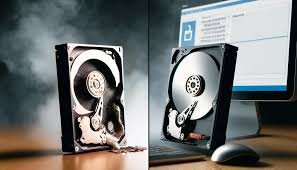
Every computer, laptop, server, and storage device eventually reaches the end of its useful life. But before you sell, recycle, refurbish, or dispose of these devices, you must answer one critical question: How do you ensure no one can recover the data stored on them? Despite the risks, many organizations still believe that deleting files or formatting a hard drive provides complete protection. However, readily available software can often recover deleted data, exposing sensitive business information to cybercriminals and unauthorized users. To prevent data breaches, businesses typically choose between secure data wiping and physical hard drive destruction. While both methods are effective when performed correctly, they serve different purposes. In this guide, we’ll compare both approaches, explain their advantages and limitations, and help you determine which solution best fits your organization’s data security and sustainability goals. Why Secure Data Disposal Matters Old storage devices often contain valuable and confidential information, including: If your organization discards these devices without properly sanitizing them, you could face: Protecting information should always be the first step before retiring any IT asset. What Is Secure Data Wiping? Secure data wiping is a software-based process that permanently overwrites the data stored on a hard drive or solid-state drive (SSD). Rather than simply deleting files, specialized software writes new data across the storage media multiple times—or follows modern sanitization standards—to make the original information unrecoverable. Advantages of Secure Data Wiping. Allows Equipment Reuse Because the storage device remains functional, it can be: This supports sustainability and extends the lifecycle of IT assets. Maximizes Asset Value Organizations can recover value from equipment instead of destroying usable hardware. This is especially important for: Audit Documentation Professional wiping services provide detailed reports showing: These records support compliance and internal audits. Limitations of Secure Data Wiping While highly effective, data wiping may not be appropriate when: In these situations, physical destruction is often the preferred option. How Hard Drive Destruction Works. A professional destruction process generally includes: This ensures both data security and environmentally responsible disposal. Advantages of Hard Drive Destruction. Maximum Data Security Once a drive has been shredded or otherwise destroyed, recovering data is practically impossible. This makes it suitable for: Fast Processing Large quantities of obsolete drives can be destroyed quickly during IT refresh projects or data centre decommissioning. Compliance Support Many organizations require documented proof that storage devices have been physically destroyed. Certificates provide evidence for audits and regulatory requirements. Hard Drive Destruction vs. Secure Data Wiping Feature Secure Data Wiping Hard Drive Destruction Data permanently removed ✅ Yes ✅ Yes Drive remains usable ✅ Yes ❌ No Supports refurbishment ✅ Yes ❌ No Asset value recovery ✅ Yes ❌ No Suitable for damaged drives ❌ No ✅ Yes Best for failed drives ❌ No ✅ Yes Environmentally sustainable ✅ Excellent ✅ Good (when recycled) Highest level of physical assurance ❌ No ✅ Yes The Best Practice: Use Both When Appropriate Many organizations use a combination of both methods. For example: This balanced approach strengthens security while reducing unnecessary electronic waste. Whether you are retiring a single laptop or hundreds of enterprise storage devices, our team follows documented procedures that prioritize data security, compliance, and environmental responsibility. Frequently Asked Questions Is deleting files enough to protect my data? For this reason, no. Deleted files can remain recoverable, leaving sensitive information exposed. Organizations need secure data wiping or physical destruction to permanently eliminate that risk. Can SSDs be securely wiped? Yes. Many SSDs can be securely sanitized using approved methods. However, damaged or inaccessible SSDs are often physically destroyed. Do you provide certificates? Yes. Nalabix issues Certificates of Data Destruction and supporting reports for organizations requiring documented proof of secure media sanitization or destruction. Which method is recommended for businesses? In practice, most businesses benefit from combining both approaches: secure data wiping for reusable equipment and physical destruction for failed or highly sensitive storage devices. Final Thoughts Secure data wiping is ideal when drives remain functional and can be reused, helping businesses recover value while reducing electronic waste. Hard drive destruction provides the highest level of physical assurance for damaged drives or highly confidential information that must never be recoverable. At Nalabix, we help organizations across Kenya make the right choice through professional data sanitization, certified hard drive destruction, IT Asset Disposal (ITAD), and responsible e-waste recycling.
Hard Drive Destruction vs Secure Data Wiping: Which Is Better?
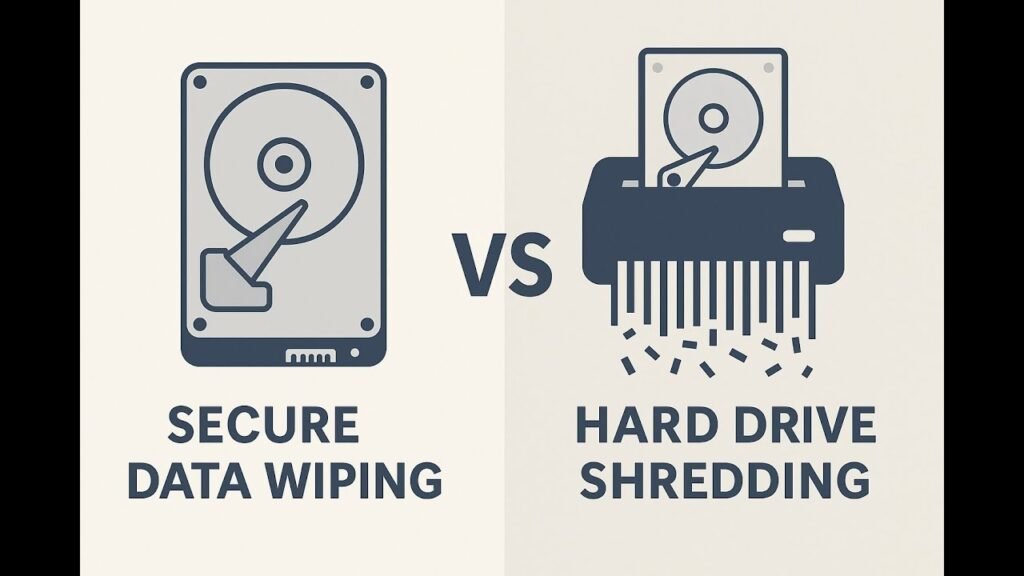
When retiring old IT equipment, organisations must choose between physically destroying the hard drive and securely wiping the data. The right option depends on your specific needs, security requirements, and business goals. Here’s a clear breakdown to help you decide. Understanding the Options Physical Destruction (Hard Drive Shredding) This process physically destroys the storage device using industrial shredders, crushers, or degaussers, making all data completely unreadable and unrecoverable by any means. It permanently renders the drive unusable. Compliance: Meets strict standards for HIPAA, GLBA, and government requirements Security Level: Highest. Eliminates any possibility of data recovery. Best For: Highly sensitive or regulated data where zero risk is acceptable. Certificate Issued: Yes, a Certificate of Destruction is provided. Secure Data Wiping (Data Erasure) This is a software-based process of securely overwriting all data on a storage device multiple times with random patterns, making the original information permanently unrecoverable while keeping the drive physically intact and functional for reuse. Which Method Does Your Situation Require? Consider Physical Destruction When: Consider Secure Wiping When: Critical Differences at a Glance Factor Physical Destruction Secure Data Wiping Security Level Highest High Drive Reusable? No Yes Data Recovery Risk Zero Negligible Best For Sensitive/regulated data Reuse or resale Compliance Standards HIPAA, DOD, NSA, GLBA DOD, NIST 800-88 The Hybrid Approach Many businesses combine both methods by physically destroying end-of-life drives that contain sensitive data while using certified wiping for devices they plan to remarket. This strategy balances security, regulatory compliance, and value recovery. Expert Recommendation Certified providers can execute both methods effectively. For highly confidential data, organisations should first perform secure data erasure and then physically destroy the device. This approach adds multiple layers of protection and safeguards data throughout the entire chain of custody. Secure your data with confidence. Contact Nalabix today to discuss your specific needs and schedule our certified data destruction services.